
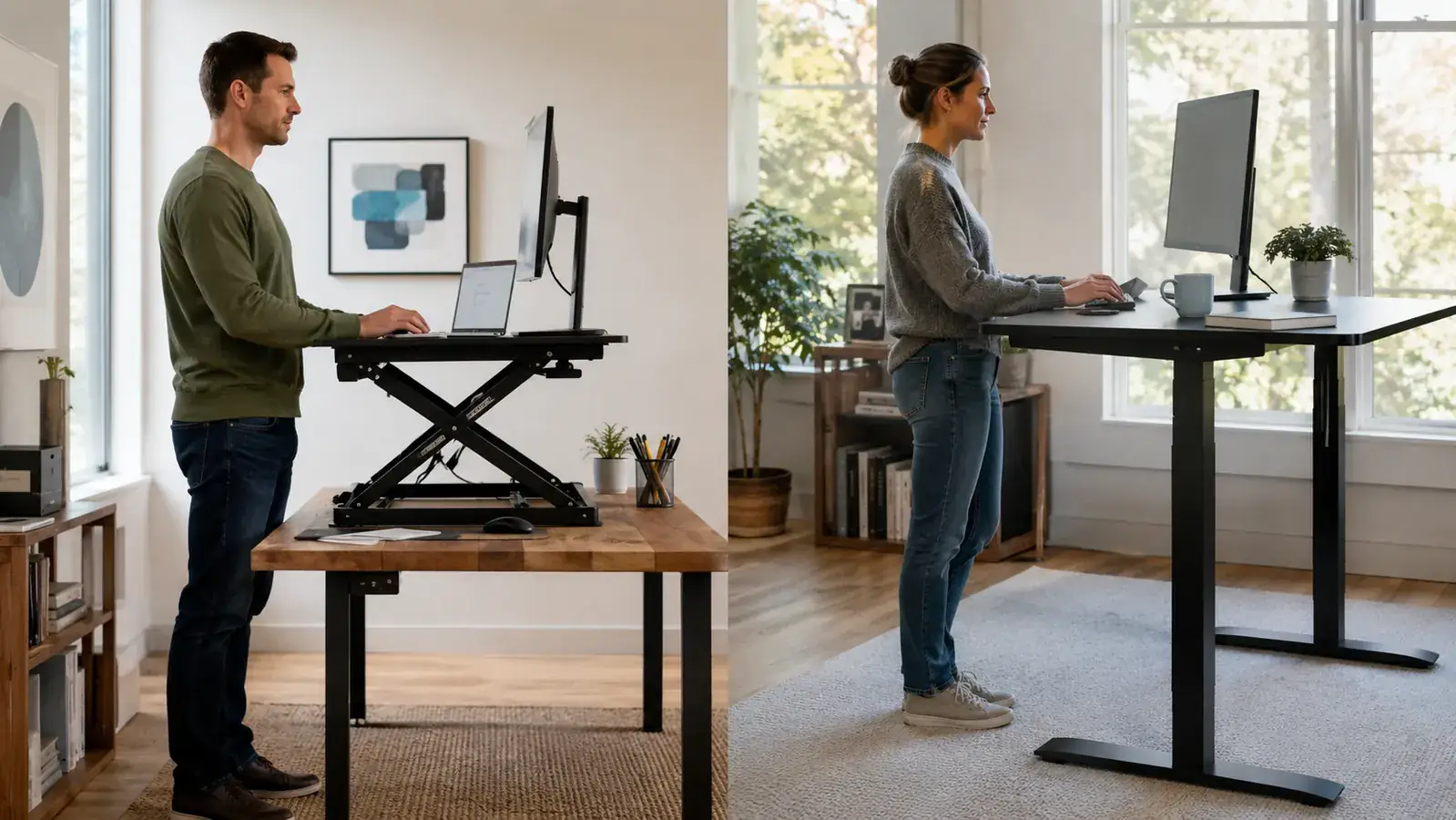
If you are sitting at a fixed desk for eight hours a day and your back has started complaining, you already know you need a change. The question most remote workers land on is this: should I buy a standing desk converter like the VIVO 32-inch K Series, or should I replace my desk entirely with a full motorized sit-stand model? I have used both. The answer is not complicated once you know the real trade-offs.
The short version: the VIVO desk converter wins for most home offices because it costs a fraction of a full motorized desk, sets up in 20 minutes, keeps your existing desk, and does the same core job. A full standing desk only makes sense in specific situations, and I will be clear about exactly when that is.
| VIVO Desk Converter | Full Standing Desk | |
|---|---|---|
| Price | Check today's price on Amazon | Premium investment for a quality motorized model |
| Setup Time | 15 to 20 minutes, no tools needed | 60 to 90 minutes, tools required, frame assembly |
| Works With Existing Desk | Yes, sits on top of your current desk | No, replaces your entire desk |
| Height Adjustment | Manual gas spring, 6 to 16 inches of rise | Electric motor, full floor-to-height range |
| Desktop Surface Area | 32" wide upper platform + 10" x 22" keyboard tray | Full desktop surface (typically 48" to 72" wide) |
| Stability | Solid at desk height; minor flex at max extension with heavy monitors | More stable at height because the frame is engineered for it |
| Portability | Can be moved to another desk or stored when not needed | Essentially permanent once assembled |
| Weight Capacity | 33 lbs on the upper platform | Typically 150 to 350 lbs depending on model |
| Who It Suits | Renters, budget-focused buyers, dual-monitor laptop users | Homeowners with a permanent office and a dedicated budget |
Where the VIVO Converter Wins
The most obvious win is price. A full motorized standing desk from a reputable brand costs a significant amount at minimum and the models that actually hold up run even more. The VIVO K Series 32-inch converter is consistently available at a budget-friendly price on Amazon with over 12,000 reviews at a 4.6-star average. That is not a budget compromise. It is a well-established product that has been bought and used by tens of thousands of remote workers, and the price-to-functionality ratio is hard to argue with.
The second win is that you keep your existing desk. This matters more than it sounds. Your desk already fits your space, your storage habits, and your cable management setup. Ripping it out and replacing it with a new frame and top means a full afternoon of disassembly, a trip to the dump or marketplace to get rid of the old desk, reassembly, and redoing every cable run. The converter drops on top of what you already have. Adjust the height. Done. I have set up the VIVO K Series twice (once at my home office and once in a short-term rental when I was traveling for three months) and both times it was ready for work in under 25 minutes.
Third: portability. If you rent, move occasionally, or share a workspace, a converter is something you own outright and take with you. A full standing desk is a semi-permanent fixture. I know remote workers who bought expensive motorized desks and then could not easily move them when their lease ended. The converter goes in the trunk of a car.
Where a Full Standing Desk Wins
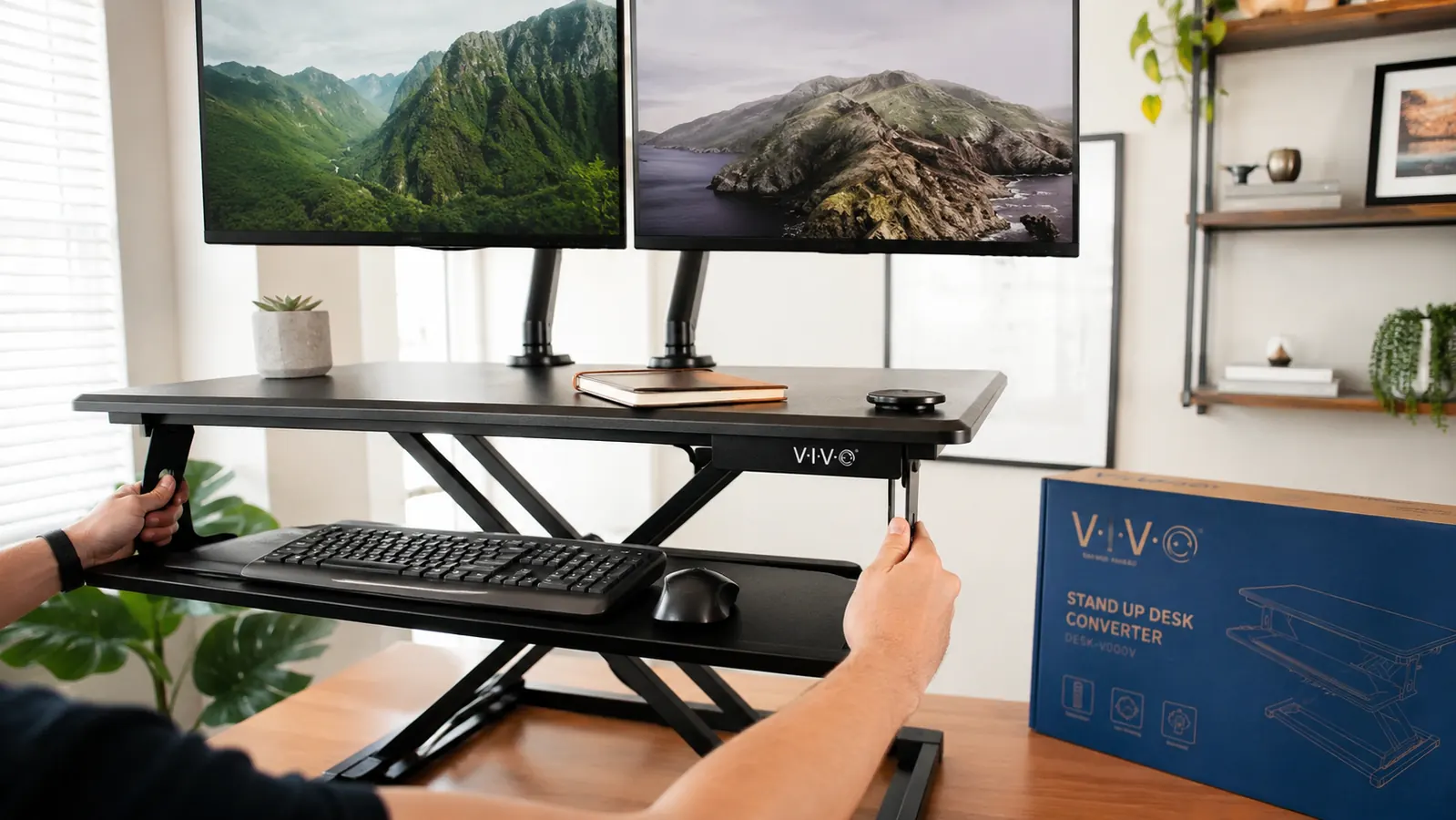
I want to be fair here because there are real situations where a full standing desk is the better answer. If you have a three-monitor setup with a large display in the center (27 inches or bigger) and two flanking screens, the VIVO converter's 33-pound weight limit and 32-inch upper platform will constrain you. Three monitors and a full-size keyboard plus mouse can push that limit, and at maximum extension the converter does develop noticeable flex if you have a heavy setup. A quality motorized desk frame handles that load without any movement at all.
The other honest advantage of a full standing desk is full-surface availability when sitting. The VIVO converter takes up roughly 32 inches of desktop width when lowered. You still have the rest of your desk surface, but it is not as open. If you do physical work at your desk alongside your computer work, spread out large documents, or use a drawing tablet with a wide footprint, the converter eats into that workspace. A sit-stand desk gives you the full surface at every height.
You do not need a premium desk to stop sitting all day
The VIVO 32-inch K Series converter has 12,000+ reviews, sets up in 20 minutes, and goes on top of the desk you already have. Check today's price on Amazon to see if it fits your budget.
Amazon Check Today's Price on Amazon →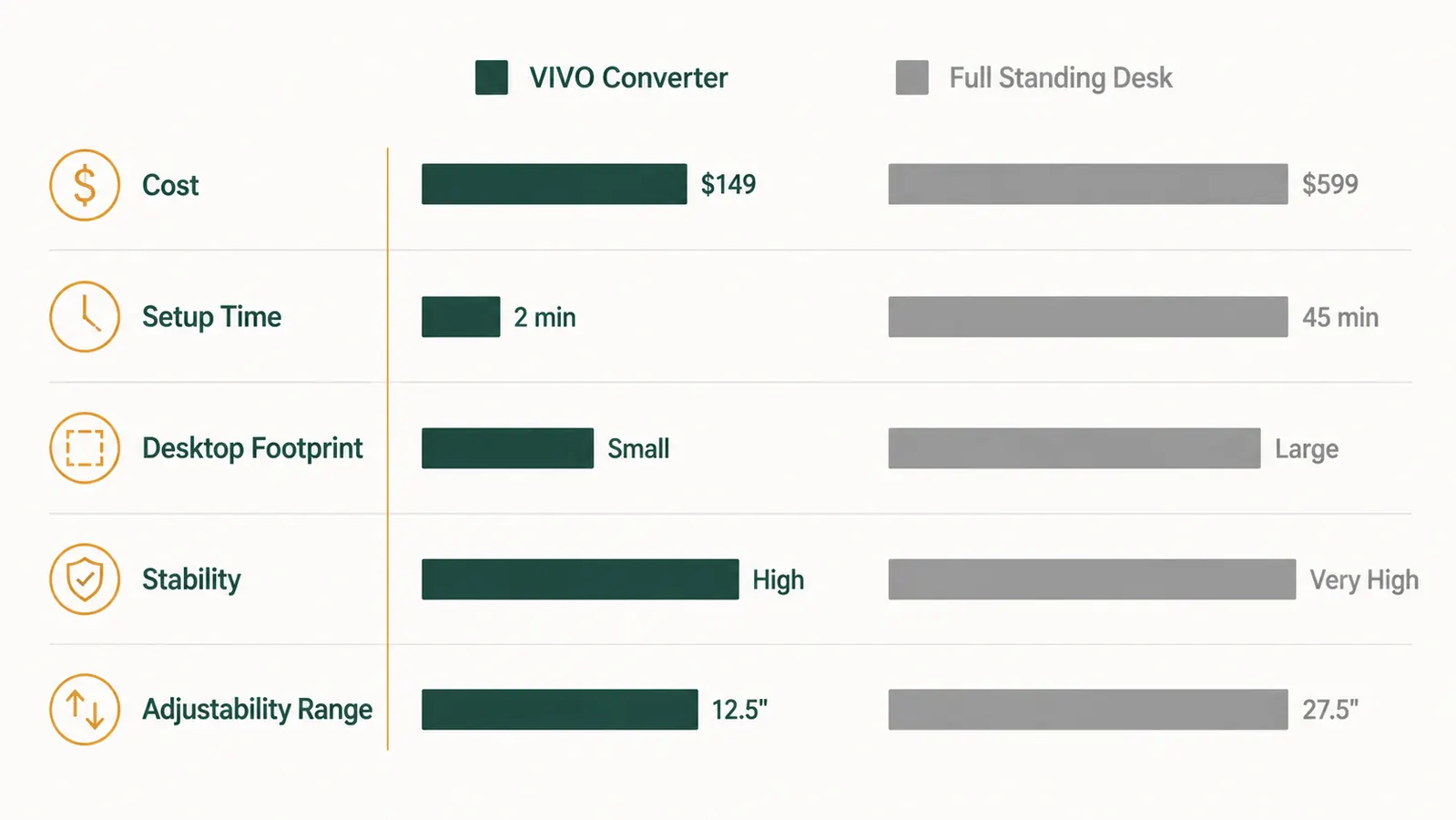
The Setup Experience: What Actually Happens When Each Arrives
When the VIVO K Series arrives, you open one box, lift out the converter, and remove the packing material. The keyboard tray clips onto the lower ledge. The gas spring mechanism is already tensioned. You set it on your desk and start adjusting the height with a light pull. That is it. There is no instruction manual to follow because there is nothing to assemble.
A motorized standing desk arrives in two or three boxes. The frame ships separately from the desktop. You attach the legs to the crossbar, bolt the desktop to the frame, thread the motor cables through the frame, and then route your monitor cables all over again. The better kits have clear instructions and most people finish in 60 to 90 minutes. It is not impossible, but it is a genuine project. If you are renting and your landlord would not be thrilled about a half-built desk frame in the living room for an afternoon, that is relevant.
The converter dropped on top of what I already had, and I was back at work in under 25 minutes. The full standing desk took a Sunday afternoon and a cable management re-do.

Stability: The One Area Where I Will Be Honest With You
At full extension, the VIVO K Series does flex slightly if you have two monitors on it. Not dangerously. Nothing falls over. But if you are used to a solid desk surface and you type hard, you will notice a small amount of spring when you bang keys at maximum height. It is manageable, and most people adapt to it quickly, but I am not going to pretend it is invisible.
A full motorized standing desk is more stable at standing height because the entire frame is engineered to support a full desktop load at any height. If stability is your top concern, specifically because you have a heavy multi-monitor setup or you do video calls where desk movement would show in the frame, a full desk addresses that more completely. But for a single monitor or a laptop plus one external display, the VIVO holds steady enough that it has never disrupted a single call for me.
Who Should Buy Which
Buy the VIVO K Series converter if you have one or two monitors that together weigh less than 33 pounds, you rent or move occasionally, you want to be up and running without losing a workday to setup, or your budget is modest. That covers probably 75 percent of people reading this. The converter does everything a full standing desk does in terms of getting you off your seat. The ergonomic benefit of alternating sitting and standing does not require a premium motorized frame.
Buy a full motorized standing desk if you have three or more monitors, you own your home and have a dedicated office where the desk will not move for years, you consistently push over 30 pounds of equipment on your desktop, or you want the cleanest possible surface at every height without any platform footprint. In that case, spending significantly on a quality frame (FlexiSpot or Uplift are the ones I would recommend) is the right call. Just do not spend mid-range on a budget motorized desk thinking you are getting the stability of a premium one. You are not.
One more thing: if you have never tried a standing work setup before and you are not sure you will stick with it, the converter is the obvious starting point. If you spend modestly and realize you only use it for an hour a day, you have not lost much. If you spend significantly on a full motorized desk and realize the same thing, that stings. Test the habit first. Upgrade the hardware later if needed. That is the practical order of operations.
Start with the converter. Upgrade later if your setup demands it.
The VIVO 32-inch K Series is the fastest, most affordable way to test standing work in your home office. No tools. No new desk. Works on what you already have.
Amazon Check Today's Price on Amazon →