
I switched to a standing desk converter about fourteen months ago. The first week was rough. By Wednesday afternoon my feet felt like I had spent the day walking a warehouse, not sitting at a home office. I almost put the thing back in the box.
The problem was not the converter. The problem was that I did not know how to stand at a desk. Nobody tells you there is a right and wrong way. You just lift the monitor, stand up, and assume your body will figure it out. It will not. At least not without some direction. After a few trial-and-error weeks and some deliberate changes to my setup and habits, standing at my desk became genuinely comfortable. Here is exactly what I changed.
If your feet hurt after twenty minutes of standing, the mat is almost always the problem.
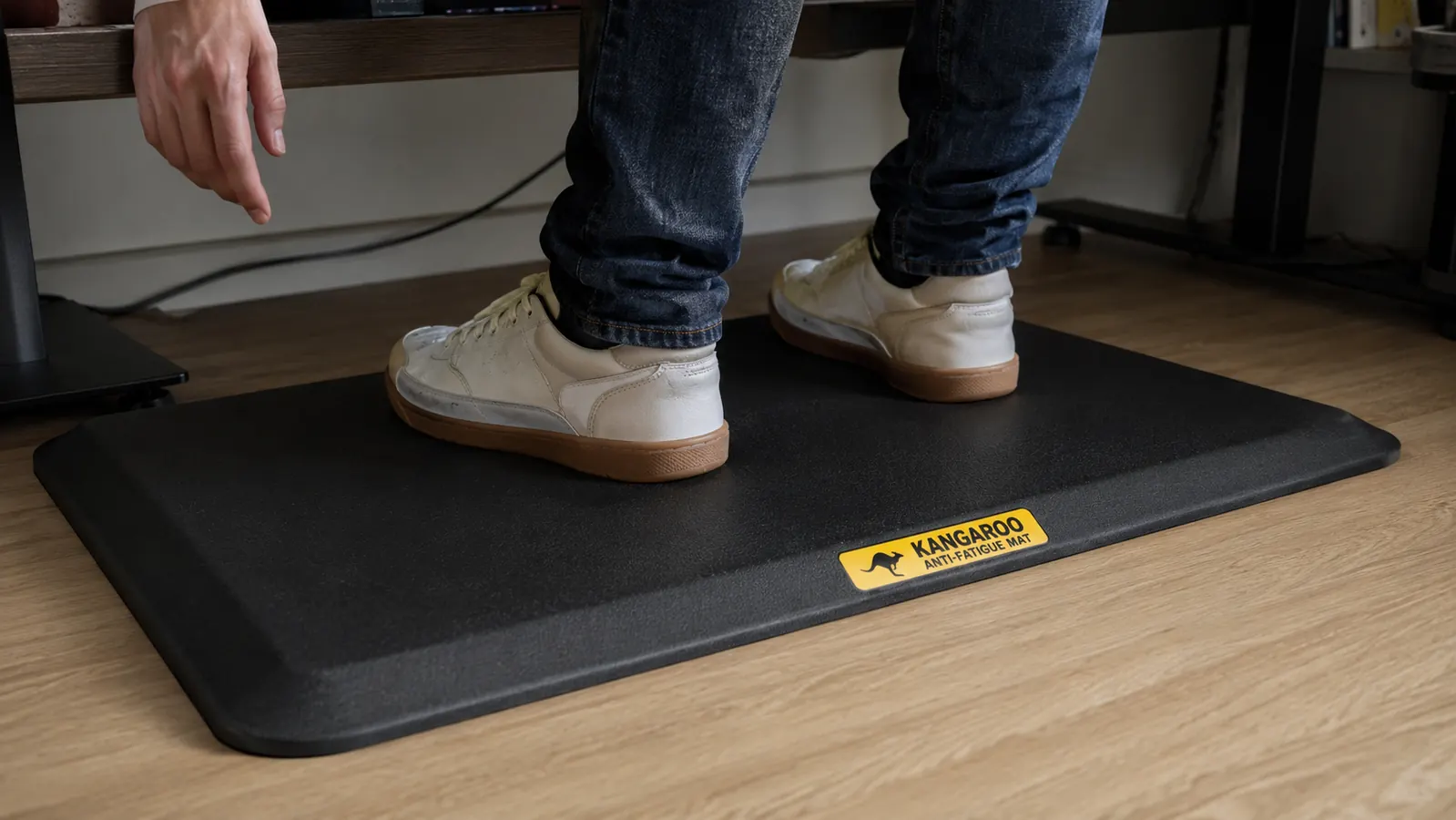
The KANGAROO anti-fatigue mat is 3/4 inch thick, has beveled edges so you do not catch your toe on it, and does not flatten out after a few weeks the way cheaper mats do. It is the single piece of equipment that made standing workable for me.
Amazon Check Today's Price on Amazon →Step 1: Stop Trying to Stand All Day
The most common mistake people make when they first get a standing desk is standing too long. They feel like they need to justify the purchase by standing through every meeting, every focus block, every email. That is a fast path to sore feet, aching calves, and a standing desk that collects dust.
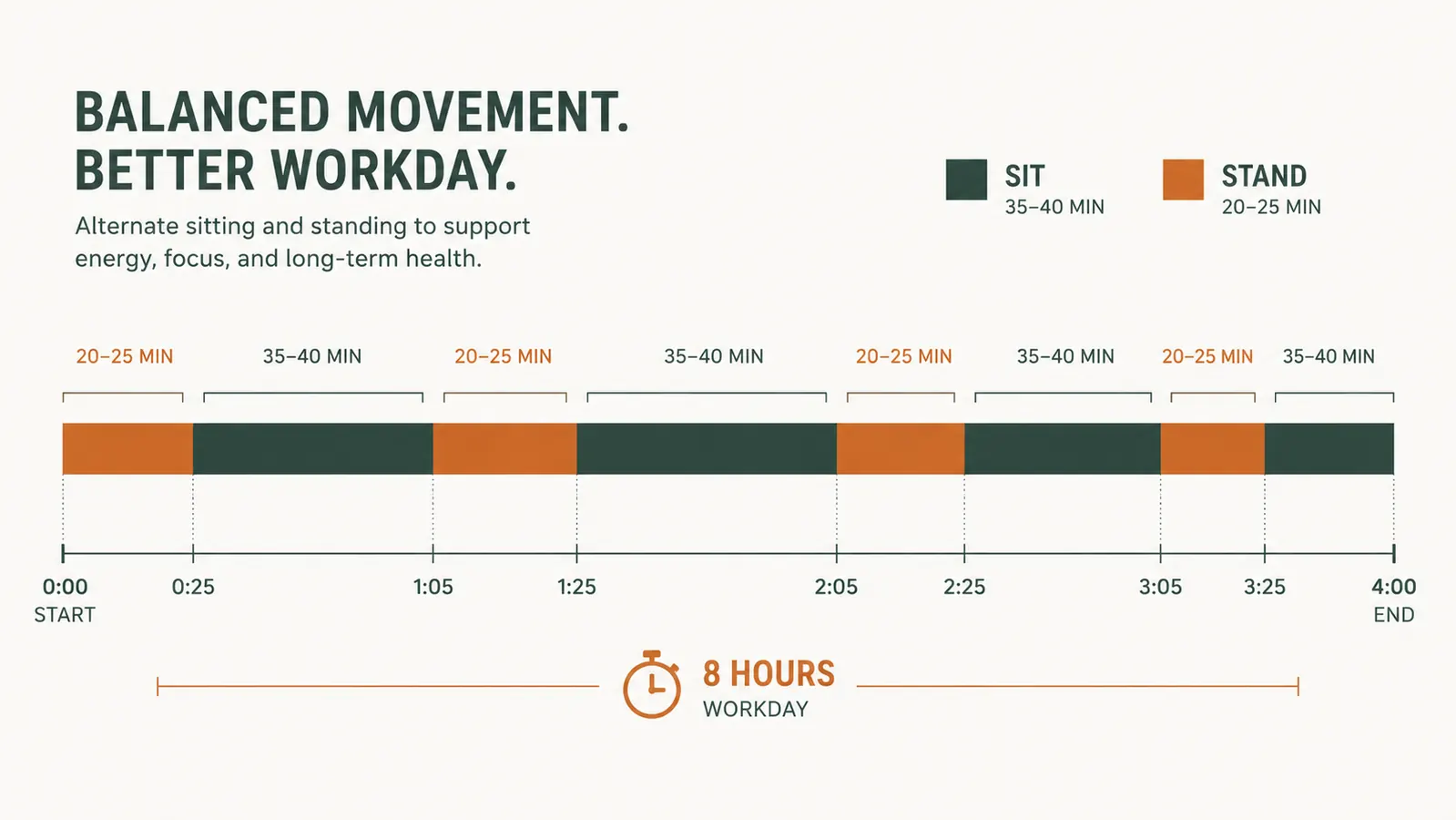
A realistic starting point is 20 to 25 minutes of standing for every 35 to 40 minutes of sitting. That ratio sounds almost embarrassingly modest, but it is sustainable. Your body adapts to standing in stages. In the first two weeks you will feel the standing intervals. By week four they will feel normal. By week eight you might find yourself standing longer without noticing. Do not try to skip ahead.
A kitchen timer or a simple app like Stretchly works fine for the rotation. The goal is not to hit a standing quota. The goal is to keep your spine moving through different positions across the day. Sitting is not the enemy. Sitting without moving for three hours straight is the problem.
Step 2: Get an Anti-Fatigue Mat Before You Do Anything Else
Hard floors destroy standing comfort. This applies whether you are on hardwood, tile, or thin office carpet over a concrete subfloor. The impact force from standing on a hard surface adds up over the course of a workday and goes straight into your heels, arches, and knees. An anti-fatigue mat interrupts that transfer by giving your foot a surface that compresses slightly under your weight and then rebounds, which keeps the small stabilizing muscles in your feet and legs gently active instead of locked and static.
I tested three mats before I found one I actually kept. The first two were thin 1/2-inch foam mats that compressed flat inside three weeks. The KANGAROO mat is 3/4 inch thick and uses a denser foam that does not bottom out the same way. Fourteen months in, it still has noticeable cushion. The beveled edges matter too. A mat with a hard 90-degree edge is a trip hazard and is uncomfortable when you shift your weight and your heel rolls over it. The KANGAROO's edges slope in at roughly 45 degrees, which is enough to feel like a smooth transition rather than a ledge.
The mat goes directly under your standing position, centered in front of your desk. It should be long enough that you can shift your stance without stepping off the edge. The 20x32 inch size covers most standing positions without taking up so much floor space that it becomes an obstacle.
Step 3: Fix Your Desk and Monitor Height First
Foot and leg pain from standing is often a downstream symptom of a poor desk height. When the desk is too low you hunch your shoulders and lean forward. That posture shifts your center of gravity and puts extra pressure on the balls of your feet and your lower back. When the desk is too high you raise your shoulders to type and your neck tilts down to see the screen. Neither is comfortable for more than a few minutes.
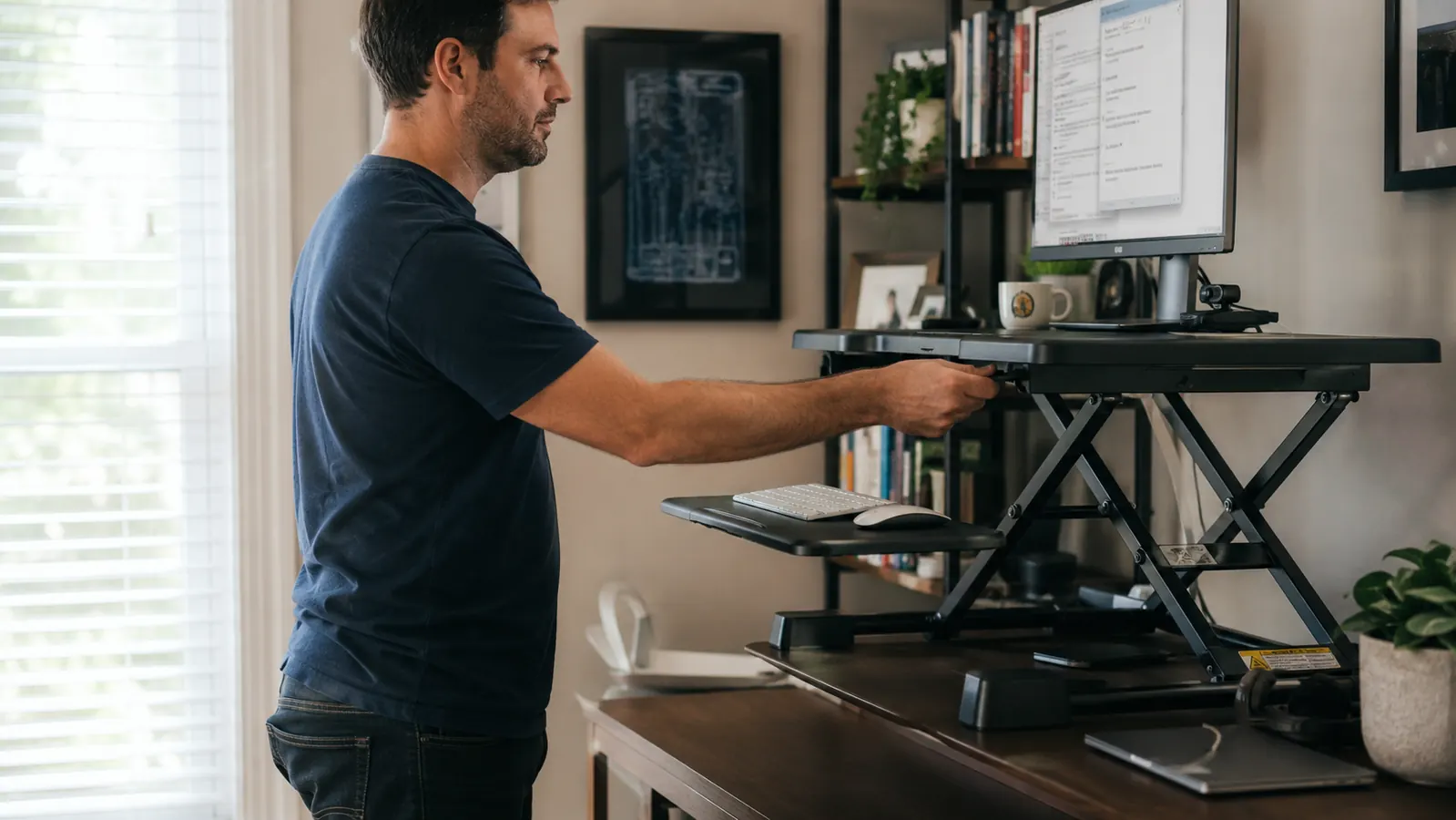
The right desk height for standing: your elbows should be at roughly 90 degrees when your hands rest on the keyboard, and your forearms should be roughly parallel to the floor. Your monitor should sit with the top of the screen at or just below eye level. If you wear progressive lens glasses, position the screen slightly lower so your reading zone lands on the display without tilting your head back. These two adjustments alone will make standing feel more balanced and take pressure off your feet.
If you are using a desk converter, check the adjustment at the standing position each time you raise it, especially if someone else in your household also uses the desk. A 2-inch difference in height makes a noticeable difference in comfort.
Step 4: Wear Proper Footwear or Go Barefoot on the Mat
Working from home means you have choices about footwear that an office worker does not. Use that to your advantage. Thin socks on a hardwood floor with no mat is the worst combination. Hard leather-soled shoes on concrete subfloor is a close second. What you want is either a supportive shoe with cushioning in the sole, or, if your floor is warm enough, bare feet or thick socks directly on a well-padded anti-fatigue mat.
I keep a dedicated pair of supportive sneakers next to my desk. They go on when I start the workday and come off when I sit down for a long stretch. This sounds fussy but it makes a real difference. The alternative is wearing house slippers, which have almost no arch support, and noticing by 2pm that your heels ache. If you already have foot problems, a pair of orthotic insoles in a low-profile athletic shoe works well for standing desk use without needing to buy specialized footwear.
The anti-fatigue mat solved about 70 percent of my foot discomfort. The other 30 percent came from standing long enough and paying attention to what I had on my feet. Both are easy to fix once you know they matter.
Step 5: Keep Your Weight Moving While You Stand
Static standing is almost as hard on your body as static sitting. The goal is not to plant your feet and hold a perfect posture for twenty-five straight minutes. The goal is gentle, low-effort movement that keeps circulation going in your legs and feet. This does not require any special equipment or a treadmill desk.
Simple habits that help: shift your weight from one foot to the other every few minutes. Put one foot on a small box or a book and alternate which leg gets the raised position. Walk in place for thirty seconds during a slow call. Do a few quiet calf raises while you wait for a page to load. None of these are exercises in the gym sense. They are just ways of keeping your muscles engaged so you are not locked in one position long enough for stiffness to build.
The reason an anti-fatigue mat helps here is subtle: the slightly uneven surface underfoot (even a flat foam mat creates micro-adjustment demands on your foot and calf muscles) keeps those muscles firing lightly even when you are not consciously moving. That continuous low-level activation is what prevents the locked-and-fatigued feeling that comes from standing on a hard flat floor.
What Else Helps
A few other things that have made my standing setup more comfortable over time: a monitor arm instead of a fixed stand, so the screen height is easy to adjust without moving the whole desk. A cable management tray so there are no cords near your feet when you shift position. And compression socks on days when I know I will be on long calls and standing more than usual. None of these are critical. The mat, the desk height, the footwear, and the rotation between sitting and standing will get you 90 percent of the way there. The extras are refinements.
If you are building your standing desk setup from scratch, the KANGAROO anti-fatigue mat is where I would start. It is inexpensive relative to the desk converter itself, it lasts, and the difference between standing on it versus standing without it is immediate and obvious. You can read a more detailed breakdown of how it holds up over twelve months in the KANGAROO anti-fatigue mat long-term review. And if you are still deciding whether to add a converter to your existing desk or replace the whole desk, the VIVO desk converter review covers how that decision played out for me.
Your feet hurt because the surface is wrong, not because standing is bad for you.
The KANGAROO anti-fatigue mat is rated 4.4 stars across more than 17,000 reviews, it is 3/4 inch thick, and it keeps its cushion. If you are setting up a standing workstation, this is the first accessory to buy.
Amazon Check Today's Price on Amazon →