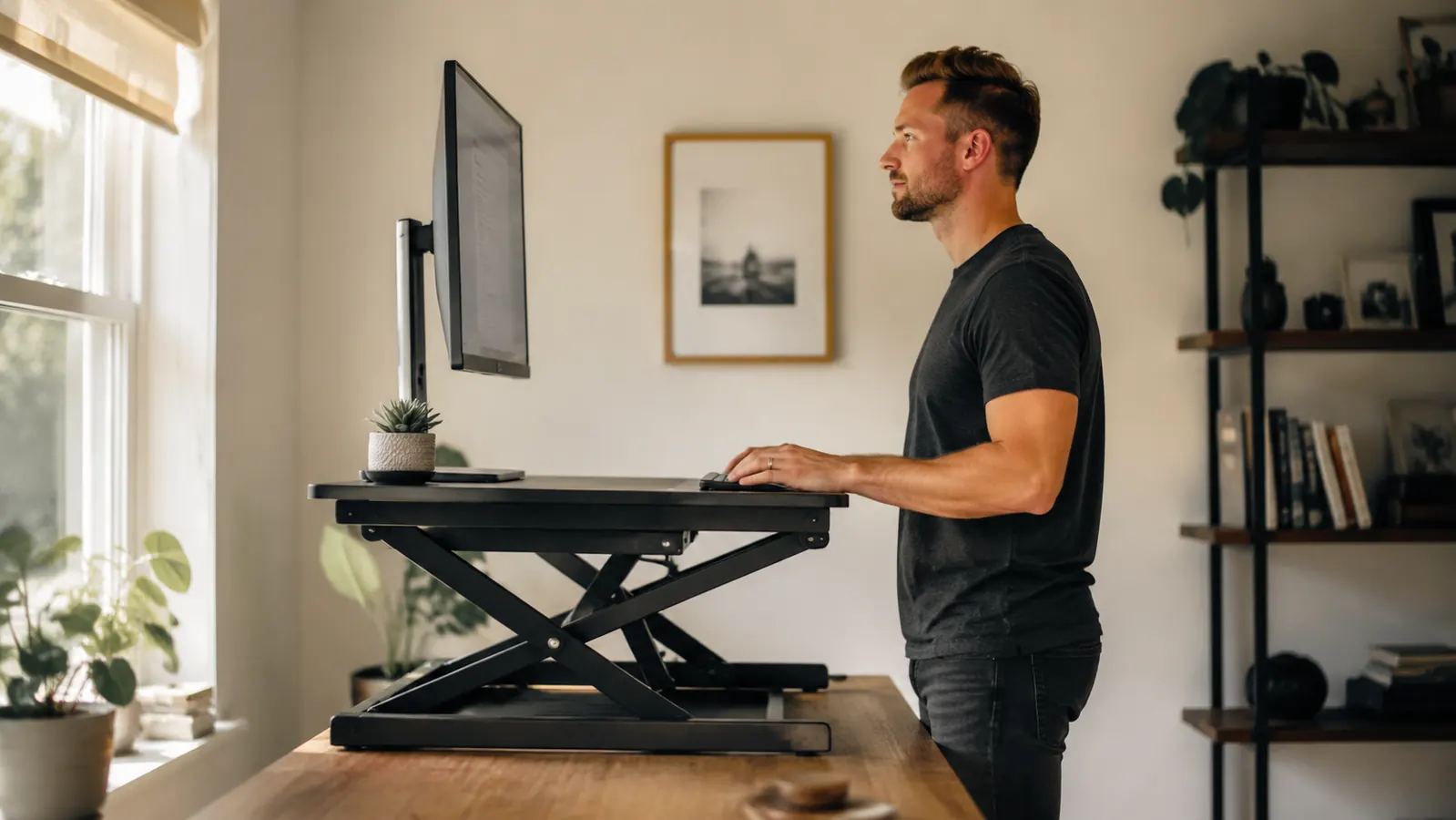
Three years into working from home full-time, I started noticing something I'd been ignoring: my lower back ached by 2pm every single day. Not sharp pain, just a slow grind that built up over hours of sitting. I'd tried a lumbar pillow. I'd tried "sitting better." Neither fixed anything because the root issue was that I was glued to a chair for seven or eight hours straight. What actually helped was changing the desk itself, specifically adding a converter that let me stand for part of the day without throwing out my existing setup. If you're in the same spot, this guide is how to make that transition without wasting money or hurting yourself in the process.
The VIVO K-Series 32-inch desk converter (ASIN B075JYG2TB) is the tool I recommend as a starting point. At a current price that's a fraction of a full sit-stand desk, it sits on top of whatever desk you already own and raises your monitor and keyboard to standing height in a few seconds. Over 12,000 Amazon reviews at 4.6 stars means I'm not the only one who found it useful. But gear is only half the equation. The other half is building the habit correctly so you don't torch your feet and give up inside a week.
If your back hurts by afternoon, a desk converter fixes the root problem affordably
The VIVO K-Series 32" converter mounts on your existing desk in minutes and handles dual monitors. Over 12,000 verified reviews, 4.6 stars. No new desk required.
Amazon Check Today's Price on Amazon →Step 1: Audit Your Desk Surface Before You Buy Anything
Not every existing desk works with every converter. The VIVO K-Series needs at least 24 inches of clear depth and 32 inches of width on your surface to sit flat and stable. Measure your desk before ordering. If your desk is shallower than 20 inches, a converter will feel cramped and unstable and you will not use it. If your desk is a glass top, check the weight capacity, because a converter plus two monitors adds up fast. For most standard home office desks (wood, MDF, laminate, 60 inches wide), the VIVO K-Series fits without issue. Solid surface, measure twice, order once.
Also take note of where your monitor currently sits. If you're running a single monitor on an arm, the converter works fine. If your monitors are stacked or you're running a 34-inch ultrawide, check the converter's weight capacity (VIVO K-Series handles up to 33 lbs on the platform). Don't assume. Five minutes of measuring saves a return trip.
One more thing: cable management. When the converter goes up, your cables need enough slack to rise with it. Budget an extra 18 to 24 inches of cable length on your monitor, keyboard, and any USB connections before you set everything up. Discovering your DisplayPort cable is 6 inches too short after the converter is assembled is annoying. Cable clips and a short zip tie solve it cheaply.
Step 2: Set Up the Converter and Dial In Standing Height
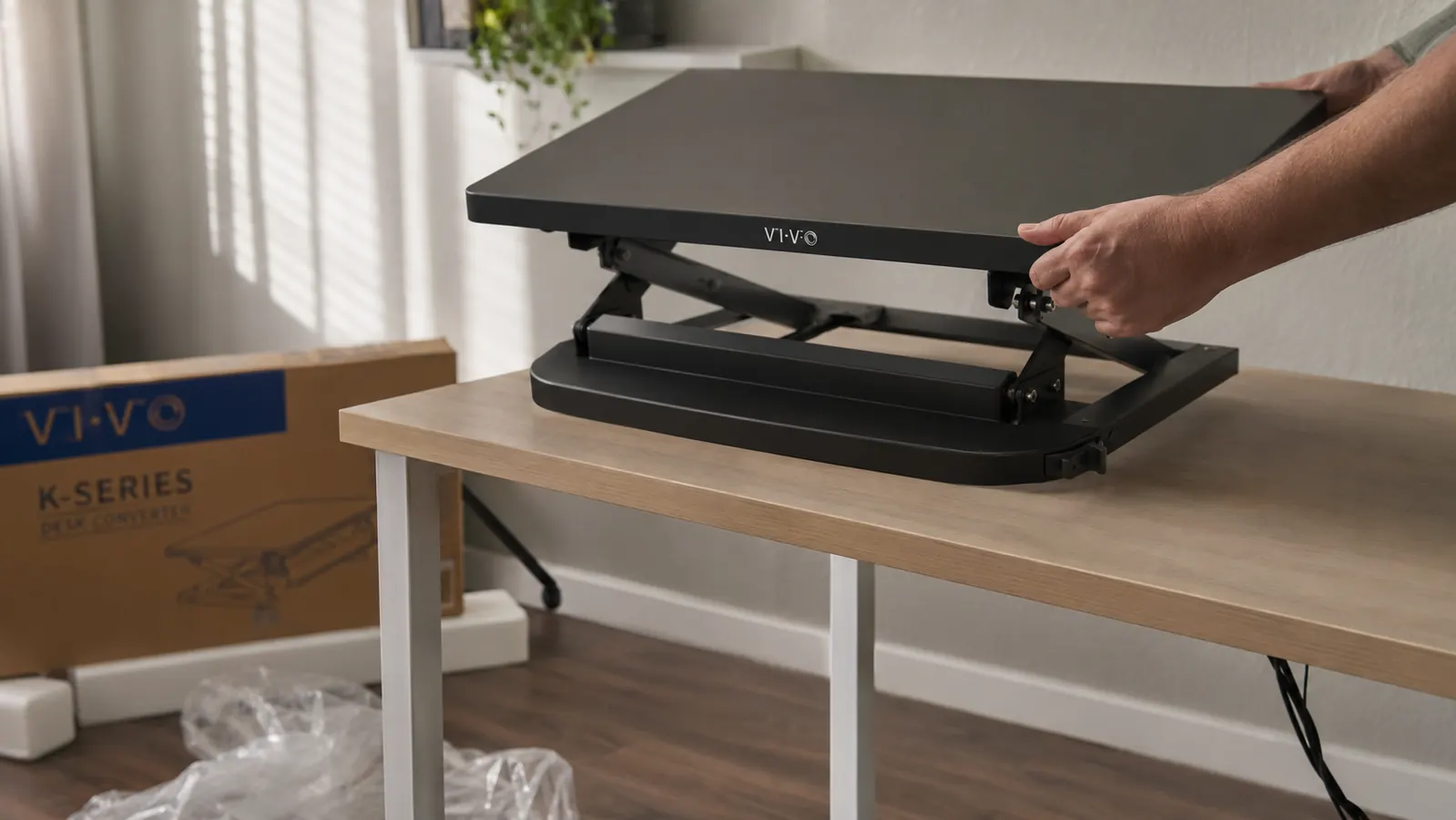
The VIVO K-Series assembles in about 20 minutes. The lift mechanism uses a spring-loaded X-frame, so there are no motors to wire or apps to configure. You pull the handles to release and push up to raise, then lock at the height you want. Out of the box, the range is roughly 6 to 16 inches above your desk surface. That covers most people. The right standing height is simple to find: stand at your desk, bend your elbows to 90 degrees, and note where your hands land. That's where your keyboard should be. Your monitor top should sit at or just below eye level. Adjust accordingly before you start working in it.
Most people set their standing height once and leave it there. The VIVO K-Series remembers nothing between sessions because it's a manual mechanism, but the lift is consistent enough that you'll develop muscle memory for the right position within a few days. One practical note: if you use a wrist rest, it will not fit on the keyboard tray at standing height comfortably. Park it to the side when you're up, pull it back when you sit. Not a dealbreaker, just a workflow detail.
Step 3: Build a Sit-Stand Schedule You'll Actually Follow
This is where most people go wrong. They get the converter, stand for three hours on day one, end the day with screaming feet and calves, and conclude that standing desks are overhyped. The problem isn't the desk. It's the approach. Your body is not conditioned to stand for hours at a stretch any more than it's conditioned to run a half marathon the first time you go for a jog.
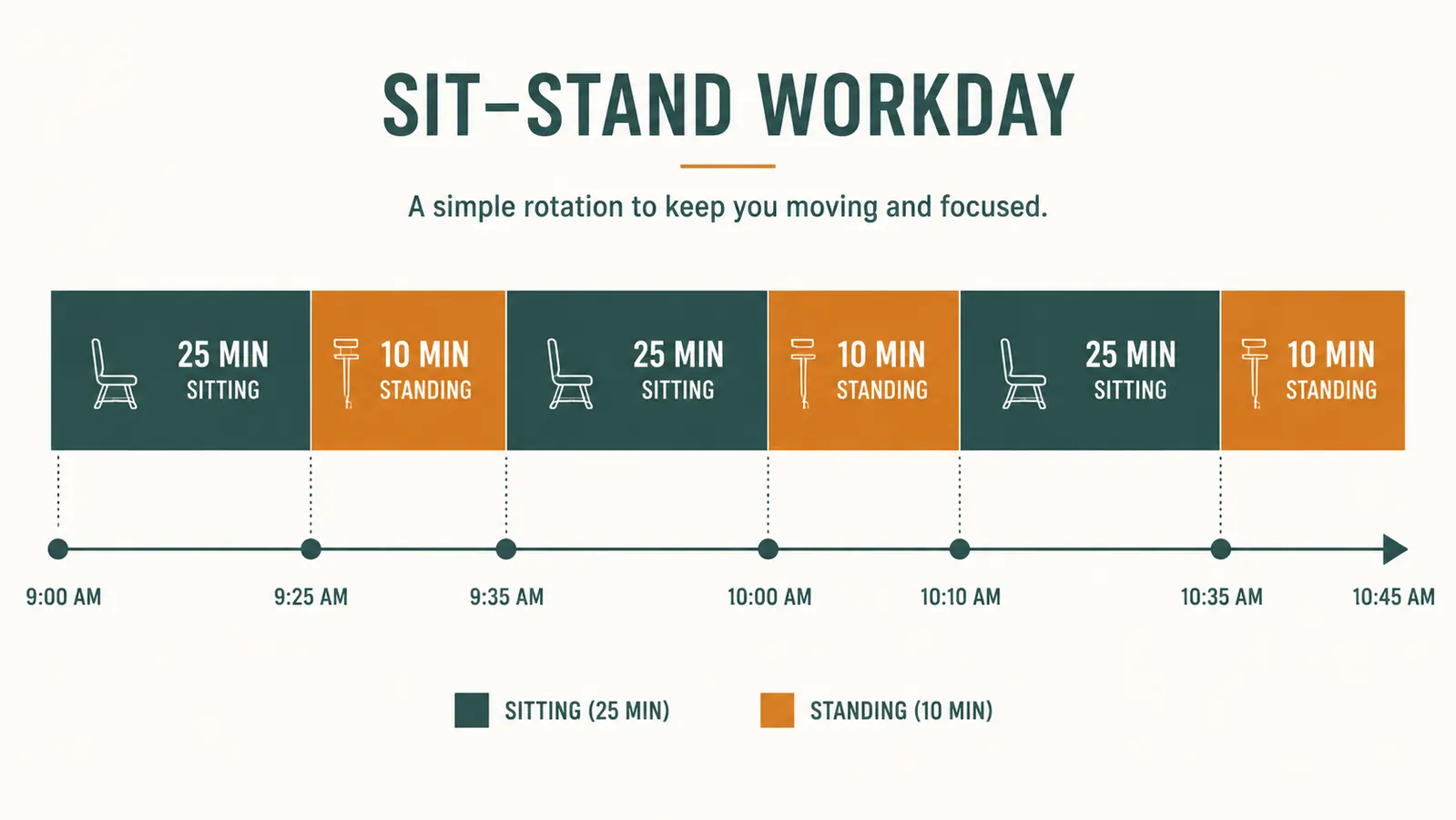
The schedule that works for most beginners in week one: 25 minutes sitting, 10 minutes standing, repeat. That's it. Use a timer if you need to. After two weeks, adjust to 20 sitting and 15 standing if it feels right. By week four, you can experiment with 50/50 blocks or whatever your body tolerates. The goal is not to stand as much as possible. The goal is to break up prolonged sitting. Even adding 40 to 60 minutes of standing spread across a workday makes a measurable difference in lower back load.
A timer app or a basic alarm on your phone works fine for enforcing the schedule. Some people use tools like Time Out (Mac) or a simple desk timer. Whatever friction is low enough that you'll actually use it. The physical transition on the VIVO K-Series takes about four seconds, so there is no excuse to skip it because it's inconvenient.
Step 4: Add an Anti-Fatigue Mat Before Your First Full Standing Day
I made the mistake of standing on a hardwood floor for the first two weeks before adding a mat. The soreness I attributed to "getting used to standing" was almost entirely a surface problem. Concrete and hardwood floors have zero give. Your feet, ankles, and knees absorb that with every minute you're upright. An anti-fatigue mat with 3/4-inch foam changes that immediately.
For a detailed look at mat options, I've covered the KANGAROO anti-fatigue mat in depth over at the KANGAROO mat review. The short version: get a mat that's at least 3/4-inch thick, has beveled edges so you don't trip stepping on and off it, and is easy to wipe down. Budget models often compress flat within a few months. Spending a bit more for a quality mat is worth it.
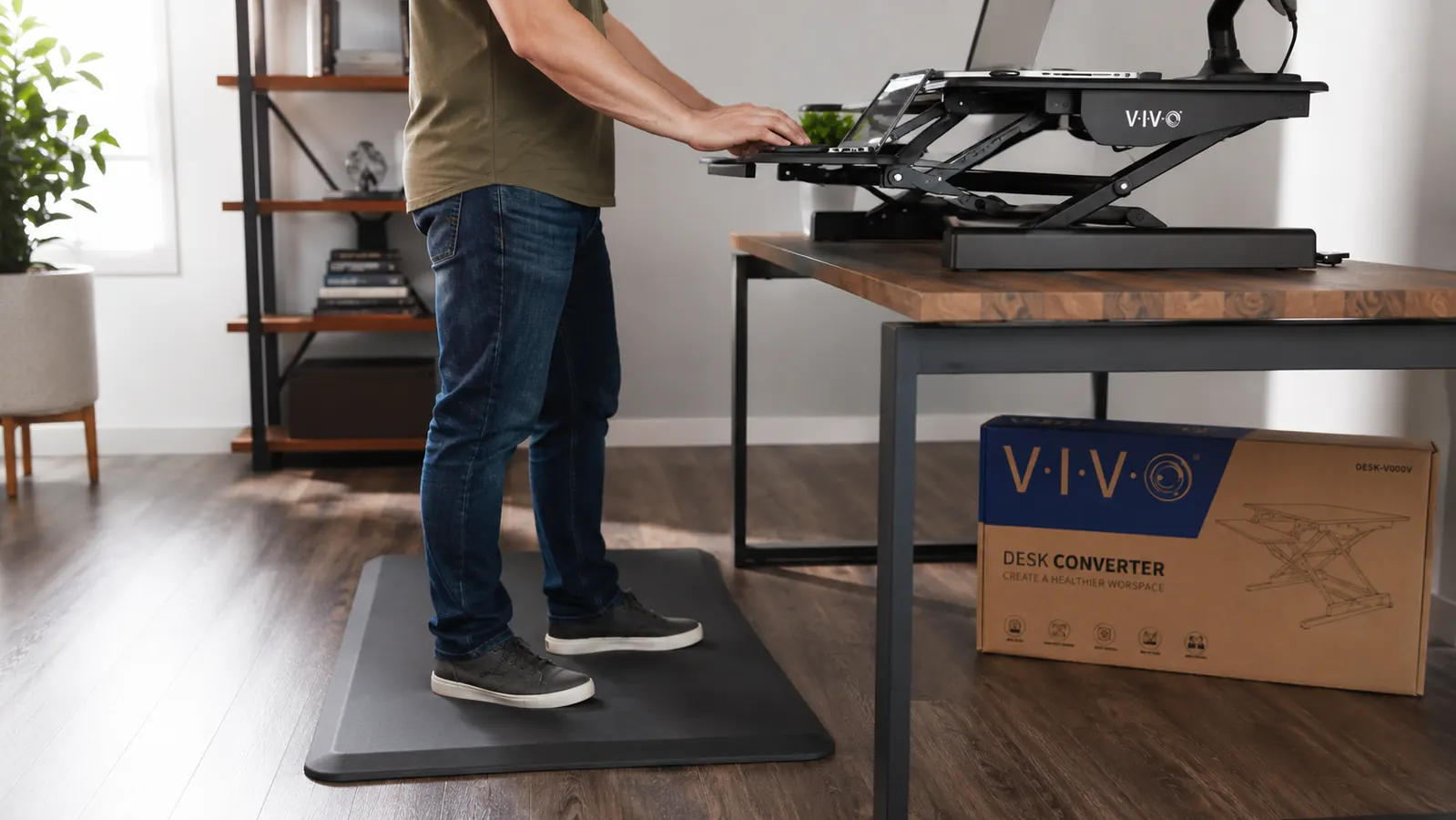
Footwear matters too. Standing barefoot on any surface, even a good mat, is harder on your feet than wearing a supportive shoe. If you work from home and default to barefoot or thin socks, keep a pair of supportive shoes near the desk and put them on when you stand. This sounds fussy but makes a real difference in how long you can stand comfortably.
Step 5: Troubleshoot the Three Most Common Problems in the First Month
Problem one: neck strain when standing. Usually caused by a monitor that's too low. When you're sitting, you tolerate a slightly downward gaze. When you're standing, that same angle becomes a cramp over 10 minutes. Fix: raise your monitor so the top of the screen is at eye level when you're upright. On the VIVO K-Series, the monitor platform adjusts independently of the keyboard tray on some configurations, which helps. If your monitor is still too low even at max converter height, a monitor arm or a riser on the converter platform adds the last few inches.
Problem two: lower back pain that gets worse standing. This usually means your standing posture is bad, not that standing is bad for you. The fix is weight distribution: both feet flat on the mat, weight even, hips not tilted forward. Prop one foot on a small footrest or the edge of a mat to rotate the position periodically. Some people place a small box nearby for this. If the pain is severe or new, that's a reason to check in with your doctor, not a reason to blame the desk.
Problem three: the converter wobbles during typing. The VIVO K-Series has noticeable wobble on the keyboard tray when you type hard, especially at taller heights. This is a known characteristic of the spring X-frame design. It is not structurally dangerous, but it bothers some people more than others. If wobble is a dealbreaker for you, that's a real tradeoff to weigh before buying. The full review covers this in more detail at the VIVO desk converter long-term review. For most remote workers, the wobble is a background nuisance you stop noticing after the first week.
The goal is not to stand as much as possible. The goal is to break up prolonged sitting. Even 40 to 60 minutes of standing spread across a workday makes a measurable difference in lower back load.
What Else Helps
The converter and the mat cover the physical infrastructure. But a few other habits compound the benefit and prevent the standing routine from fading after a few weeks. First, keep a glass of water on the desk. Standing makes you more aware of dehydration than sitting does, and staying hydrated helps with the fatigue your legs feel in the early weeks. Second, put your most brainless tasks in the standing windows. Email triage, Slack replies, reading documents. Reserve deep focus work for sitting. This lines up the physical mode with the cognitive mode and makes the schedule feel natural rather than forced. Third, track it loosely for the first month. A sticky note with a simple tally of standing blocks per day is enough. Not because the number matters, but because tracking keeps you from lying to yourself about how often you're actually doing it.
After about six weeks, most people stop thinking about it. The converter goes up when you start email, comes down when you're deep in a document, and the pattern becomes automatic. That's the goal. Not a standing desk "practice." Just a desk that can do both, used without ceremony.

The VIVO K-Series is the cheapest reliable path to alternating your day without a new desk
Fits on your existing desk, raises in 4 seconds, holds dual monitors up to 33 lbs. 4.6 stars across 12,831 reviews. If your back is complaining by afternoon, this is the fix worth trying first.
Amazon Check Today's Price on Amazon →