
For the first eighteen months of working from home, I ignored my wrists. Not deliberately. I just didn't have time to pay attention. There were calls to join, deadlines to hit, and a constant queue of messages to answer. The faint ache that started around 3pm every afternoon felt like background noise, the kind of thing you tell yourself you'll deal with later. The fix, when I finally found it, turned out to be smaller and simpler than I expected: a compact keyboard called the Logitech MX Keys Mini. But I am getting ahead of the story.
Later arrived around month twenty-two. I was using a full-size mechanical keyboard I'd bought during an enthusiast phase, big and heavy, the kind that looks impressive on a desk tour. But by the end of a long writing day my right wrist felt like someone had wrapped a rubber band around the joint and left it there overnight. I stretched. I bought a gel wrist rest. I adjusted my chair height twice. None of it moved the needle.
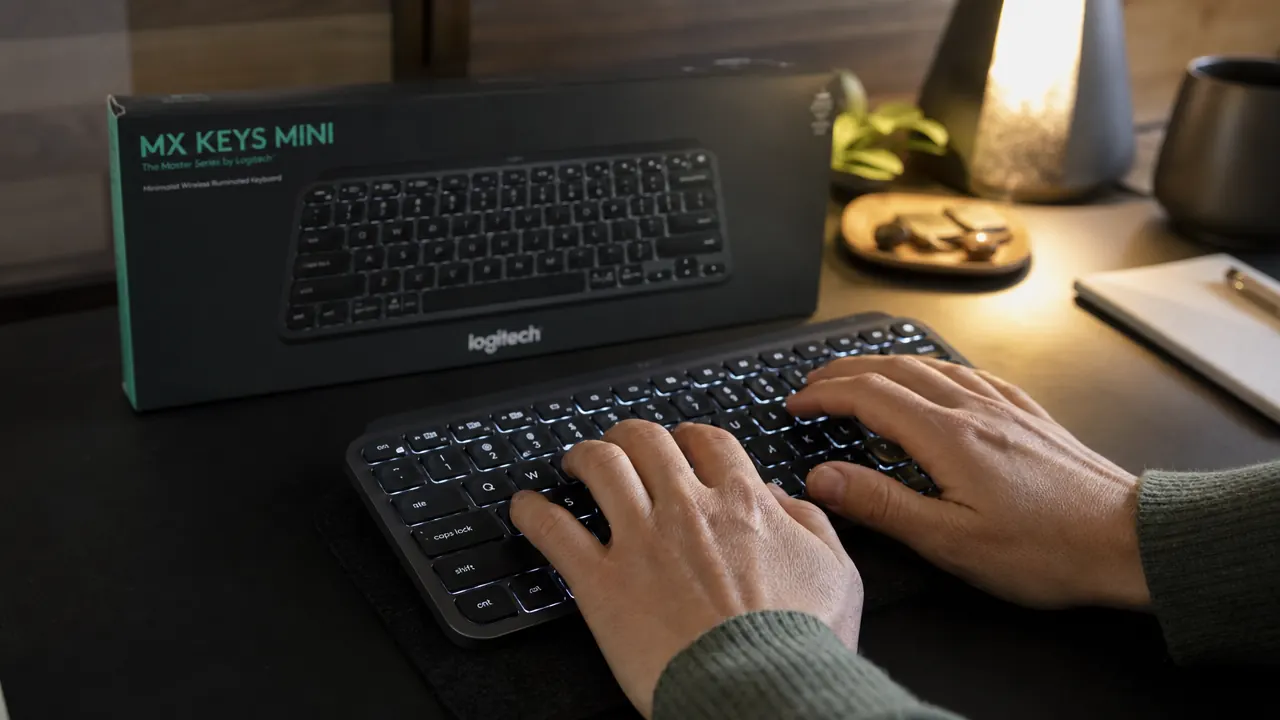
A colleague mentioned she had switched to a compact wireless keyboard after a similar stretch of discomfort. She specifically mentioned the Logitech MX Keys Mini. I'll be honest: my first reaction was skepticism. A keyboard is a keyboard. Swapping one out felt like treating a headache with a different brand of ibuprofen. But I was tired enough of the ache that I figured I had nothing to lose.
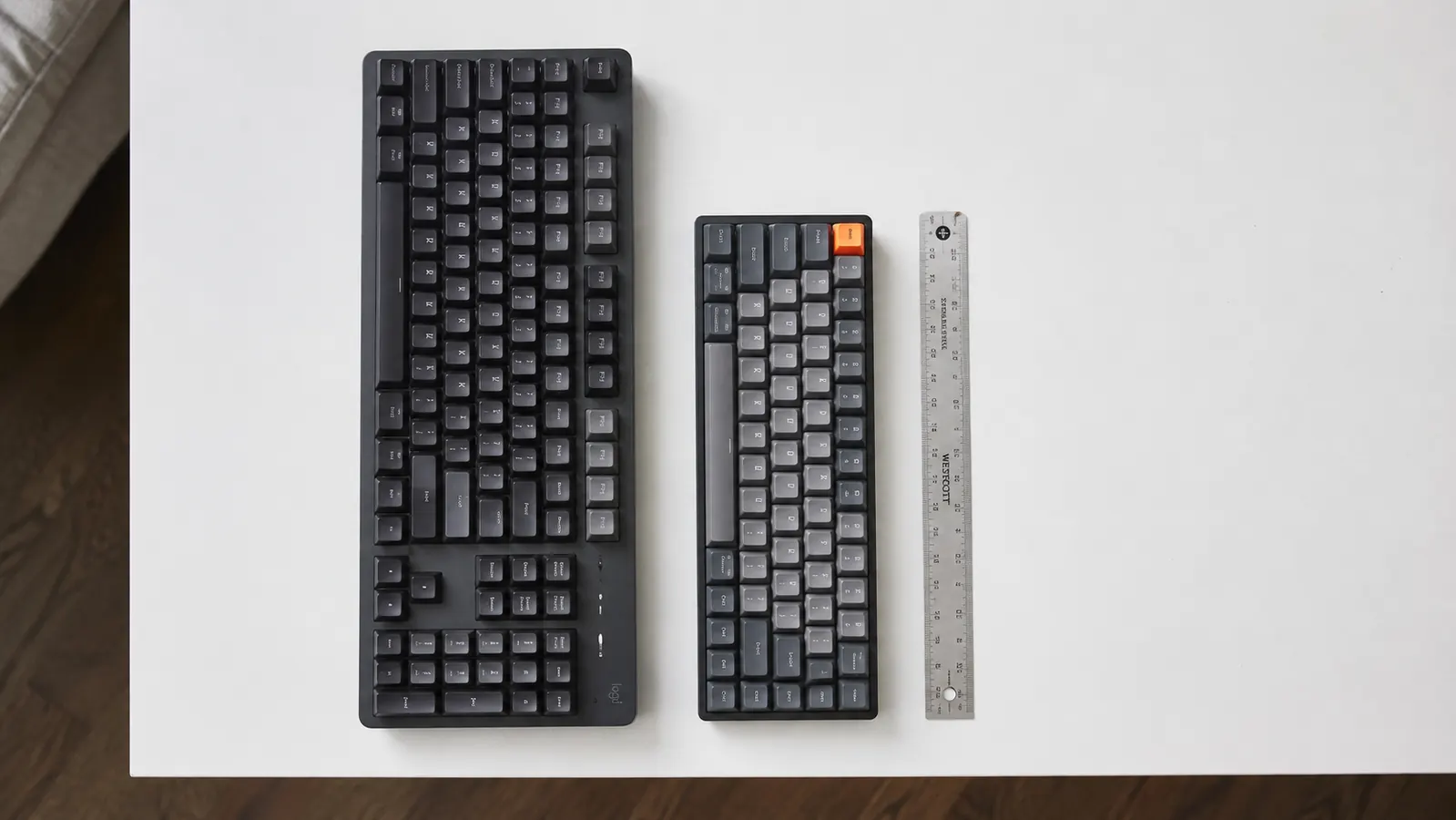
The first thing I noticed when the MX Keys Mini arrived was how much smaller it is than what I'd been using. No numpad, trimmed function row, tighter spacing between the modifier keys on the left side. My initial instinct was that I'd made a mistake. Less keyboard felt like less capability. But within two hours of typing on it, I realized what had actually changed: my right arm wasn't reaching outward anymore.
My right arm wasn't reaching outward anymore. Two years of that subtle daily extension, and I had never noticed it was happening.
That's the thing about a full-size keyboard with a numpad: it pushes your primary typing hand about four inches further from your body centerline. Four inches doesn't sound like much until you multiply it by eight hours, five days a week, for two years. My shoulder and wrist had been compensating for that angle every single day and I had completely normalized it. Dropping to a compact layout brought my right hand back in line with my shoulder. The tension started to ease within the first week.
The keys themselves are worth talking about separately. The MX Keys Mini uses what Logitech calls spherically sculpted keys, meaning each keycap has a slight concave curve that matches the pad of your fingertip. It sounds like a marketing detail until you've typed on it for a few days. The keys guide your fingers rather than making you aim. The travel is short but not shallow in the way that a lot of chiclet keyboards feel punishing. There's enough resistance that you know you've pressed a key, and the tactile feedback is consistent across the whole board.
Battery life is legitimately excellent. I charged it once after unboxing, then didn't think about it again for three months. With the backlight off it will run even longer. The backlighting itself is smart enough to turn on when your hands approach the keys and dim when you pull away, which means you're not burning battery lighting a keyboard nobody is using.
If wrist fatigue has been nagging at you, the fix might be simpler than you think.
The Logitech MX Keys Mini is compact, backlit, and built specifically for people who type all day. It connects to up to three devices via Bluetooth and charges over USB-C. Check current pricing on Amazon before you decide.
Amazon Check Today's Price on Amazon -> →Multi-device pairing is one of those features I expected to ignore and ended up using constantly. I have it connected to my MacBook, my work-issued Windows laptop, and my iPad. Switching between them is a single button press. No repairing, no hunting through Bluetooth menus. For a home office where I sometimes need to answer a quick message on a second machine without moving anything, that matters more than I anticipated.

I want to be honest about the trade-offs. The function row is compact, and if you rely on dedicated media keys or use the F-row constantly in specialized software, there's an adjustment period. The keyboard is not cheap for its category. And if you're coming from a mechanical board with heavy actuation, the quieter typing feel will take some getting used to. These are real considerations, not dealbreakers, but worth knowing before you buy.
What I'd Tell You If We Were Sitting at My Kitchen Table
Here's the honest version: the MX Keys Mini did not cure my wrist problems overnight. What it did was remove a structural cause that I hadn't identified. The compact layout changed my arm position. The key feel reduced the force I was putting into each keystroke. Both of those things added up over about three weeks until the afternoon ache stopped showing up. I don't know exactly which factor was doing the most work, and I suspect it was the combination.
If your wrists have been bothering you and you've already tried wrist rests, posture adjustments, and taking breaks, the keyboard itself is worth looking at. Specifically the size and the layout. A full-size board with a numpad is not the neutral ergonomic choice it looks like. For most people who type all day on a single computer, that right-side extension is unnecessary friction your body is quietly absorbing.
I'd also tell you to look at the full long-term review I wrote for more detail on the typing feel, the Logi Options+ software, and how it compares to the MX Mechanical if you want tactile feedback. And if you're deciding between the two keyboard options, there's a side-by-side comparison that walks through each one honestly. But if you've been on the fence about whether a keyboard swap is worth it, the answer in my experience is yes, as long as you're making the right change for the right reason.
Three months in, I'm still reaching for it every morning without thinking twice.
The Logitech MX Keys Mini is the compact Bluetooth keyboard I now recommend to every remote worker dealing with wrist or shoulder tension. Spherical key sculpting, smart backlight, three-device pairing, and USB-C charging. See today's price on Amazon.
Amazon Check Today's Price on Amazon -> →