
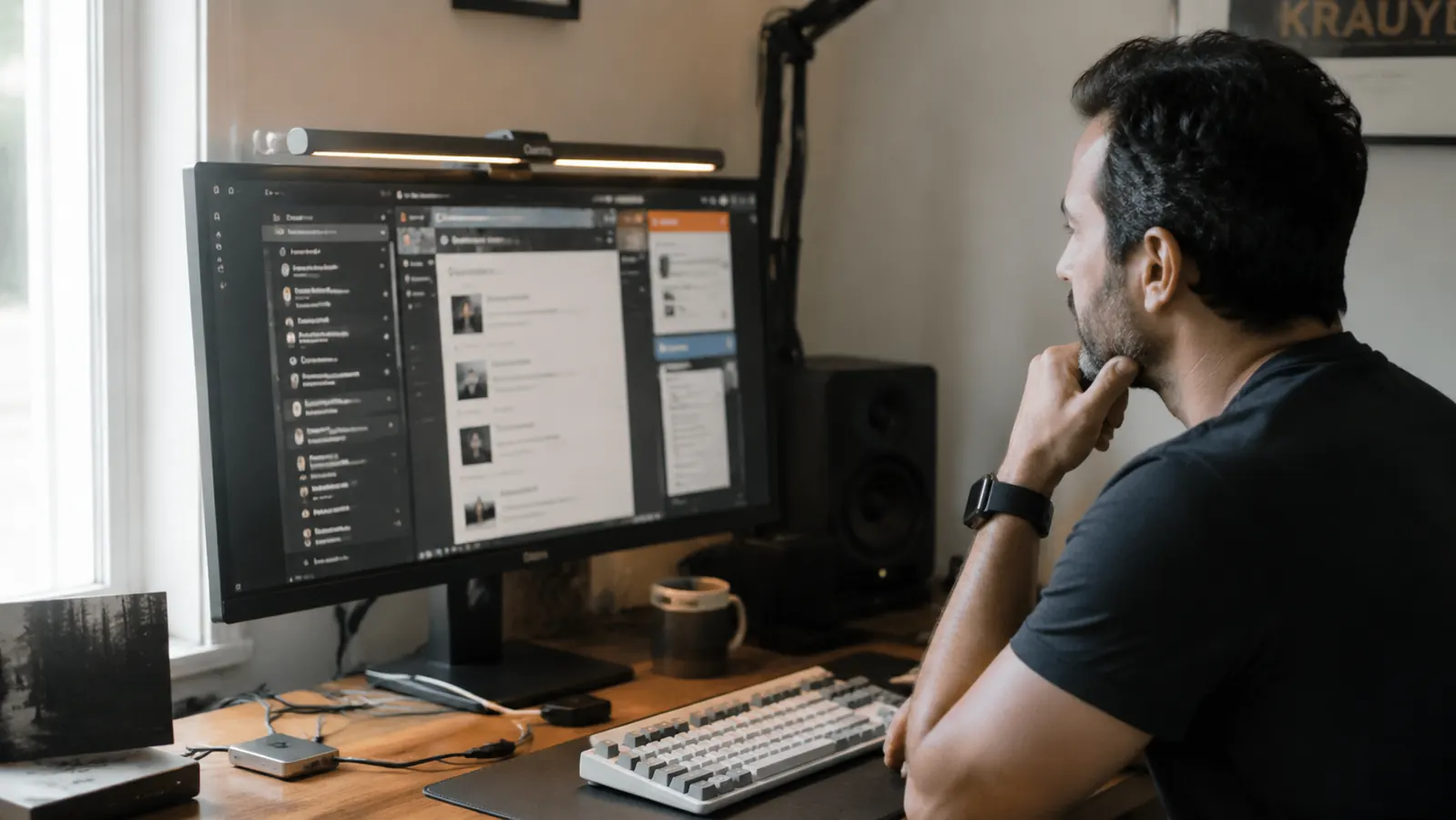
I bought the Quntis Computer Monitor Lamp because my setup needed task lighting and a low price felt like a low-stakes test. What I did not expect was spending the next several months answering the same questions from other home office people who had read the listing, bought the lamp, and then ran into something the product page never mentioned. The 'eye caring' badge. The two color presets described as if they were a full color spectrum. The clip that fits 'most monitors.' These are not lies exactly. They are careful omissions. This review covers what the listing page deliberately skips.
The Quntis monitor lamp, ASIN B08DKQ3JG1, is a USB-powered LED bar that clips to your monitor's top bezel and pushes light downward onto your desk surface. That asymmetric design is genuinely good engineering at this price. But between the good engineering and the marketing language, there are several gaps worth knowing before you buy.
The Quick Verdict
A solid budget monitor lamp with real limitations the listing page glosses over. If your needs fit within its actual specs, it is excellent value. If they do not, the price gap to the BenQ is worth it.
Amazon Check Today's Price →Your desk lamp is probably pointing glare right at your screen. Here is the fix.
The Quntis monitor lamp clips on in under two minutes and draws power from any USB-A port. No adapter, no wall outlet, no shelf space lost. Check whether it is right for your setup before the price changes.
Amazon Check Today's Price on Amazon →What 'Eye Caring' Actually Means (And What It Does Not)
The listing leads with 'eye caring' and 'no glare on screen.' Let me unpack that. The lamp uses an asymmetric lens that angles all output forward and downward, away from the screen surface behind it. When installed correctly on a standard flat monitor, this geometry works. Light hits your desk, keyboard, and hands, but not the screen panel directly. That is real and it matters. For screen work specifically, removing glare sources from your monitor surface is one of the highest-leverage comfort improvements you can make. The Quntis accomplishes this.
What it does not mean: this lamp does not reduce the light emitted by the screen itself. If your monitor brightness is cranked to 100 and it is causing fatigue, the Quntis does nothing for that. It also does not filter blue light from your panel. The 'eye caring' claim refers exclusively to ambient task light positioning, not to any protective filtering of screen output. If you were expecting a blue-light mitigation product, you are thinking of something else entirely.
There is also a setup dependency the listing buries: the lamp only achieves its no-glare geometry when mounted on a monitor that sits vertically at roughly 90 degrees. If your monitor is tilted significantly forward (say, angled down toward you more than 15 degrees), the lamp's beam path shifts and some output starts reflecting back. This is a physics issue with the design, not a defect, but the listing shows one perfect studio photo and never addresses monitor tilt. Set your monitor close to vertical before judging the glare performance.
The USB Power Draw Question Nobody Addresses
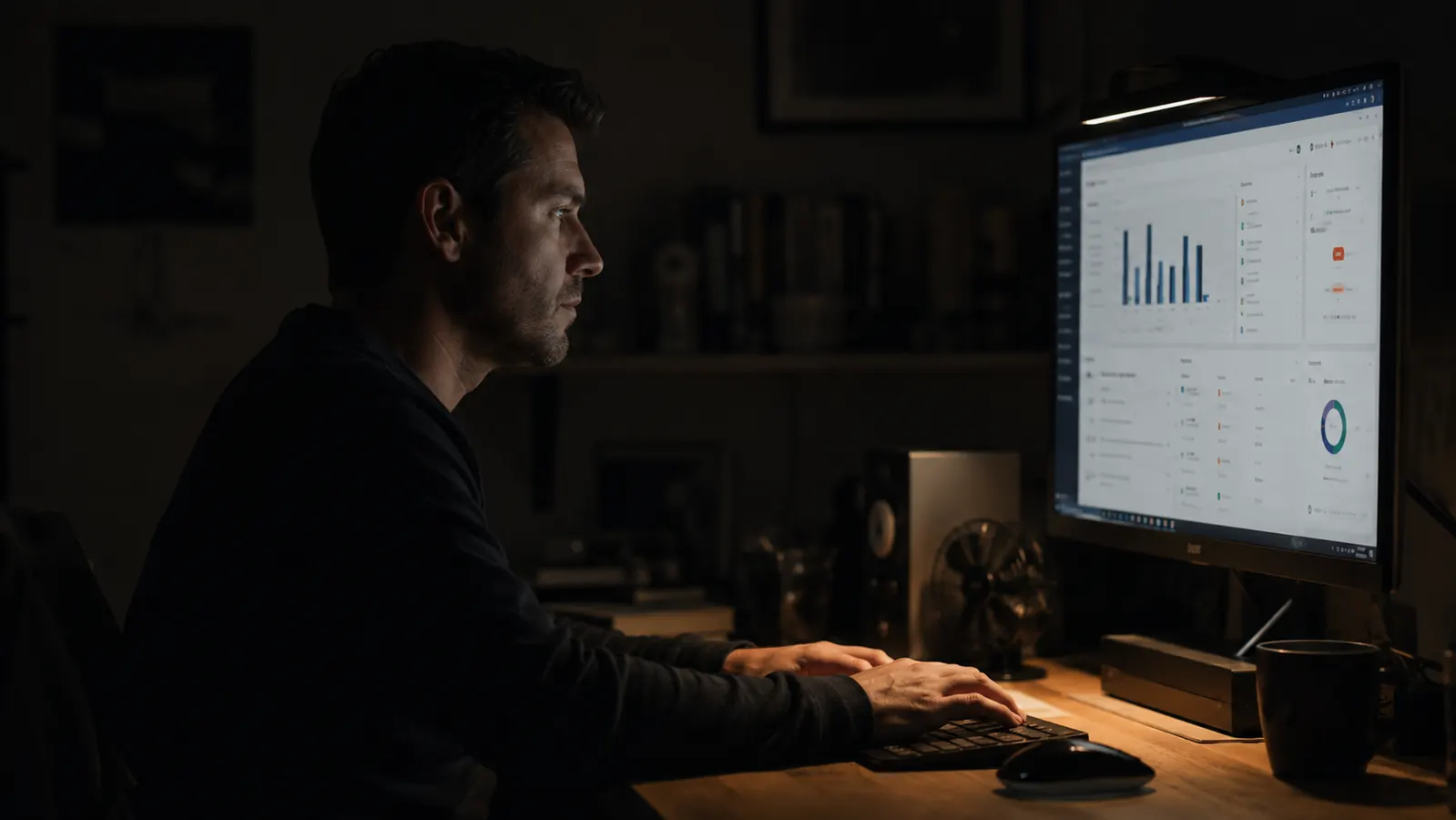
The Quntis lamp draws power over USB-A at approximately 5 watts. That translates to around 1 amp at 5 volts. Most monitors with USB hub ports on the back supply 0.5 to 0.9 amps per downstream port on a passive hub, which technically puts you at or near the edge of what that port can reliably deliver. In practice, the lamp runs fine off a monitor's USB hub the vast majority of the time because USB ports can usually sustain short bursts above their rated output. But if you have ever noticed a lamp that flickers faintly when something else is plugged into the same monitor hub, this is why.
The safest power source for the Quntis is a USB wall adapter rated at 1 amp or higher, or a powered USB hub with its own wall supply. If you are using the USB-A port on a laptop, most laptop USB-A ports deliver 1 amp comfortably and this is a non-issue. Where I see problems reported in the reviews: monitors with passive USB hubs, particularly older displays with USB 2.0 hub ports rated at 0.5A. The lamp dims slightly or flickers on those setups. The listing says 'USB powered' and shows a photo. That is the entire power section.
If your monitor has USB-C ports with power delivery, those will also work via an adapter, and you get better amperage headroom. Worth checking your specific display before assuming the monitor hub port will work cleanly.
The Clip: What 'Fits Most Monitors' Actually Means
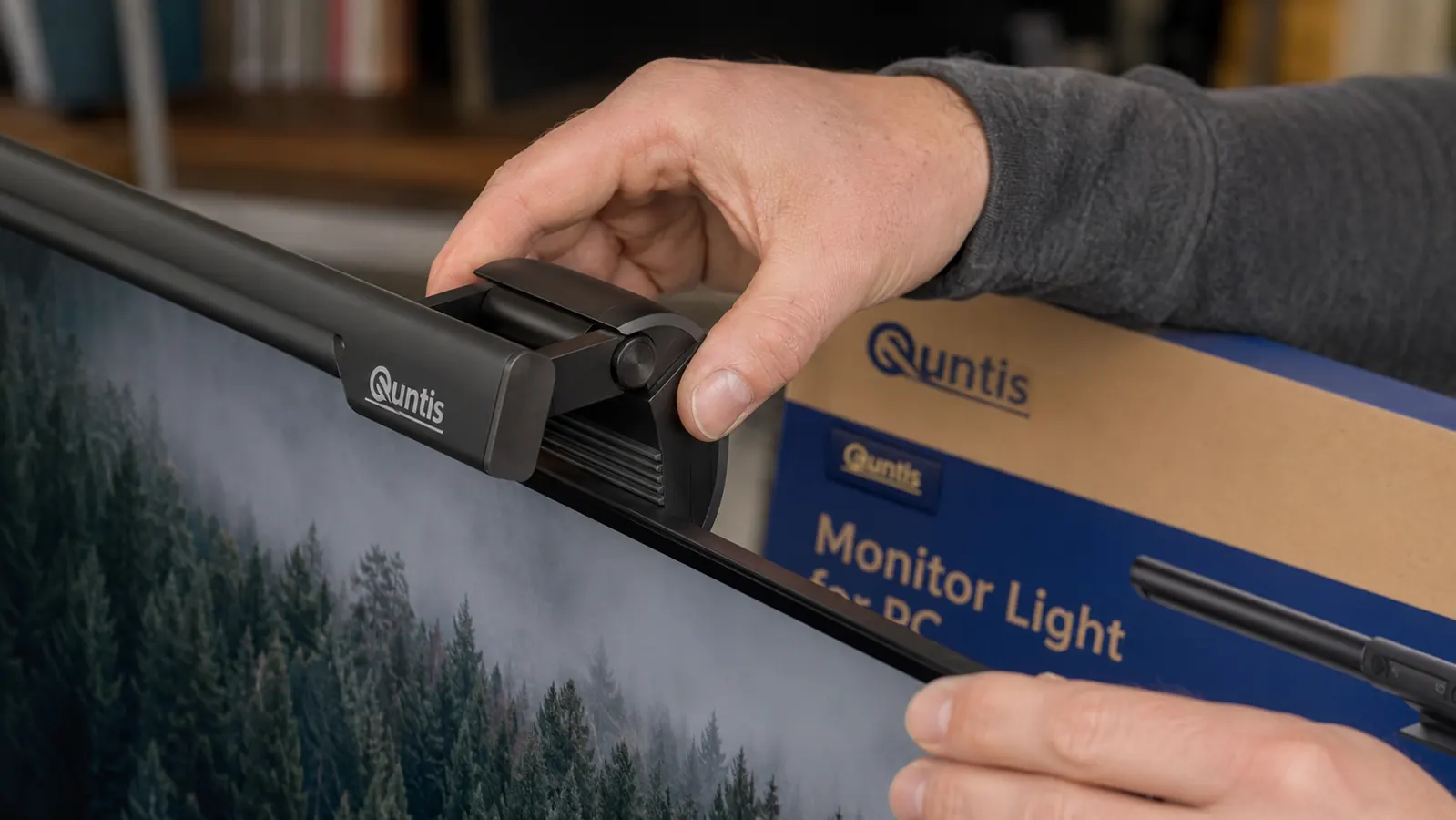
The clip mechanism uses a spring-loaded jaw with a rubber pad on the clamping surface. The jaw opening handles monitor top bezels up to roughly 30mm thick. That covers the vast majority of flat monitors sold in the last five years because thin bezels are the default now. What it does not handle well: older monitors with thick plastic bezels over 30mm, curved monitors where the top edge is not flat, and ultra-slim IPS panels with bezels under 3mm where the rubber pad has very little surface area to grip.
On a curved ultrawide, the problem is geometry. The clip is designed for a flat top edge. On a curved panel, the top edge has a slight curve, and the rigid clip jaw contacts it at two points rather than full surface contact. Most users report it still holds, but it has a higher chance of sliding if you tap the top of the monitor or run a desk fan that vibrates the surface. Not a dealbreaker, but worth knowing if you are running a 34-inch curved ultrawide.
On monitors with very thin glass bezels, specifically some Dell and LG ultrafine panels, the clip can exert localized pressure at the contact point that, over time, some users report as slight cosmetic discoloration at the bezel edge. I did not experience this personally, but there are enough reports across the 13,000-plus reviews to mention it. If your monitor is a premium model, inspect the clip contact point monthly or use a piece of thin silicone sheet between the pad and the bezel to distribute the pressure.
The Real Brightness Number vs What You Actually Need
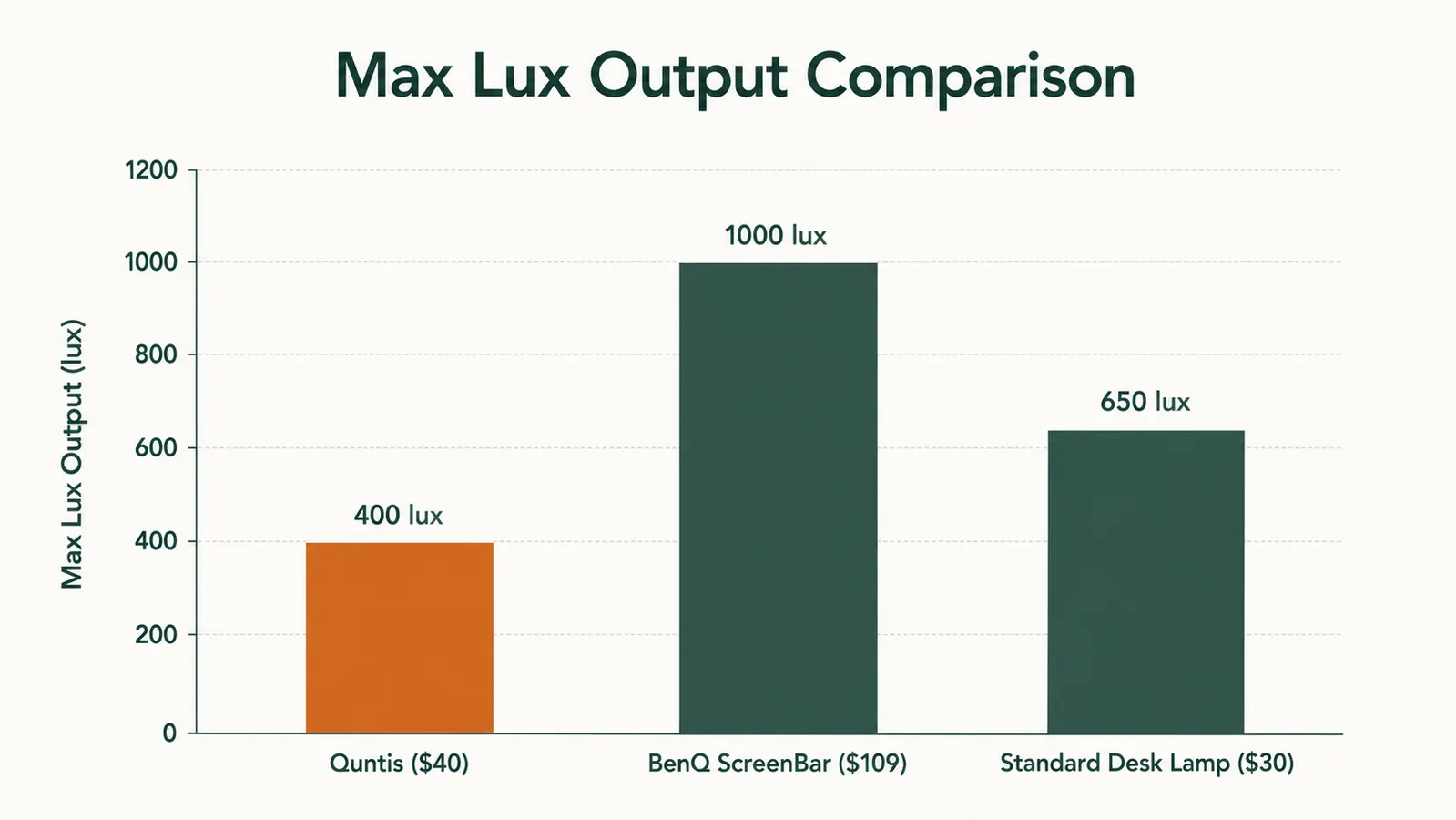
Quntis does not publish a lux output spec on the listing page. Based on informal measurements from multiple sources and forum tests, the Quntis at 100 percent brightness delivers roughly 400 to 450 lux at the center of the desk surface, measured at about 40cm from the lamp. That is a reasonable number for task lighting in a home office. For comparison, the BenQ ScreenBar hits around 900 to 1,000 lux at the same measuring distance, and a good traditional desk lamp angled directly at the desk hits 500 to 700 lux depending on bulb.
What this means practically: if you are working in a room with no windows and you need the lamp to be your primary light source for a full workspace, the Quntis at maximum brightness is softer than you might expect. It is genuinely excellent as a supplement to some ambient room light, and fine as the only light in an already-dim-but-not-black room. For a basement office with zero natural light and you are relying on the lamp alone for everything, you will want either a second light source or the BenQ.
The listing photos show a well-lit, clearly supplemented room. They are not lying. But they are also not showing a dark room test. The 400-lux ceiling matters if your workspace is light-starved. If you have a window nearby or an overhead ambient light on, the Quntis output is plenty and the no-glare geometry does its best work in that environment anyway.
Quntis does not publish a lux spec. Informal measurements put max output at roughly 400 lux at desk surface. Fine with ambient room light, softer than expected in a fully dark room.
Three Setup Scenarios Where This Lamp Will Disappoint You
First: dual monitor setups where both screens need illumination. The Quntis clips to one monitor and throws a beam that covers approximately 24 to 27 inches of desk width directly below it. The second monitor gets no task light from this lamp. You either mount a second unit on the second screen or accept that one monitor's keyboard area is lit and the other is not. The listing shows a single-monitor setup in every image. That is not a coincidence.
Second: video call setups where you need fill light on your face. The asymmetric beam pushes light away from the screen, which means it also pushes light away from you. Your face does not benefit from this lamp. If you are on video calls and you need something that lights your face as well as your desk, you need a lamp with a different beam pattern or a separate ring light. The Quntis solves the screen glare problem and the desk illumination problem. It does not solve the 'I look like a cave dweller on Zoom' problem.
Third: setups where you need to illuminate a physical document or notebook alongside your keyboard. The lamp throws a downward oval of light centered under the monitor. A notebook placed to the far left or right of your keyboard, outside that oval, sits in relative shadow. If your work is split between screen and paper, a traditional desk lamp with a wide shade actually gives you more coverage flexibility. The monitor lamp is optimized for screen-adjacent work, not for broad workspace illumination.
What Genuine Daily Users Report vs What the Listing Claims
The 13,000-plus reviews tell a consistent story with a few consistent friction points. Positive: the no-glare design works as advertised. The two-color-temperature option gets praised repeatedly. The USB power convenience is a genuine quality-of-life win. Setup time being under two minutes is true and users appreciate it.
Friction points that appear across hundreds of reviews: the touch controls require a firm, deliberate press rather than a light tap. Users who tap lightly get frustrating mis-reads until they figure out the input preference. A minority of reviews mention the lamp arriving with a slight downward tilt bias that requires adjusting the clip angle, which is not obvious until you sit back and notice the beam landing further from the monitor base than expected. And a consistent thread across reviews is disappointment from users who expected the lamp to be brighter than it is, almost always from people running it as the sole light source in a dark room.
Cross-referencing those patterns against the listing: the listing never mentions touch input pressure requirements. The listing never mentions that maximum brightness has a ceiling. The listing never discusses the beam coverage width for dual-monitor users. Every one of those gaps is a small version of a buyer setting wrong expectations. None of them are catastrophic. But they add up to a picture that is slightly more honest than the product page.
What I Liked
- Asymmetric lens genuinely delivers zero screen glare when monitor is near-vertical
- USB-A powered, works off any 1A-capable port without a wall adapter in most setups
- Two color temperature presets cover morning focus and evening ease without adjustment overhead
- Smooth dimming with no PWM flicker at any brightness level
- Compact clip adds no desk footprint, total setup time under two minutes
- Over 13,000 real-world reviews with 4.6 stars suggests consistently solid build batches
- Rubber-padded clip protects bezel on standard flat monitors with standard bezel thickness
Where It Falls Short
- Max lux output around 400 at desk surface, insufficient as a sole light source in dark rooms
- Touch controls require firm deliberate press, not light tap, which trips up new users
- Clip not optimized for curved monitors or bezels thinner than 3mm
- Does not illuminate your face for video calls, beam goes away from you
- Single lamp covers one monitor width, dual monitor setups need two units
- No ambient light sensor or auto-dimming, no continuous color temperature tuning
- USB power draw at the rated edge of passive monitor USB hub port specs
Who This Is For
The Quntis lamp is the right buy if you have a single flat monitor, some ambient room light (a window, an overhead, anything), and your current setup puts a lamp or overhead fixture throwing light toward the screen surface. It solves the glare problem cleanly and completely. It is also the right buy if desk space is the constraint and you refuse to add another footprint item, or if you have a spare USB port on the monitor and want zero additional cabling to the wall. At a budget-friendly price point, the value-to-performance ratio holds up if your setup fits within the actual specs I described above. For more context on pairing this lamp with a proper bias lighting setup, see the guide to bias lighting for home office monitors on this site.
Who Should Skip It
Skip it if you work in a basement or interior room with no natural or ambient light and you need the lamp to carry the full illumination load. The 400-lux ceiling will leave you reaching for more. Skip it if you need to light more than one monitor, appear well-lit on regular video calls, or work heavily with physical documents spread across a wide desk area. Skip it if your monitor is a large curved ultrawide where clip geometry is a question mark and you are not willing to check monthly. And skip it if your monitor has passive USB 2.0 hub ports at 0.5A, the lamp may flicker and the fix requires a separate adapter that reduces the convenience advantage. For head-to-head context on how this lamp stacks up against a desk lamp for your specific use case, the monitor light bar vs desk lamp comparison walks through that tradeoff in detail.
If any of those scenarios match your setup, step up to the BenQ ScreenBar. It is four times the price but three times the brightness, adds an ambient light sensor, and has a proper color temperature dial. The gap in cost is real money. So is the gap in what you get.
Your current desk lighting is probably the cheapest fixable problem in your home office.
If you have a single flat monitor, some room ambient light, and a USB port to spare, the Quntis is a clean budget-friendly fix for the screen glare issue most remote workers never think to address. Check today's price and Prime shipping before you decide.
Amazon Check Today's Price on Amazon →